
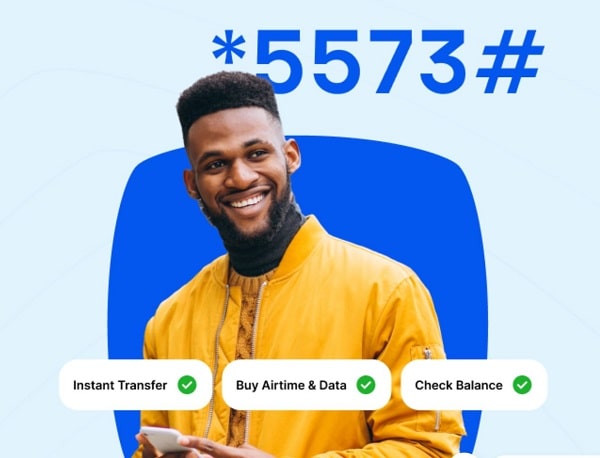
If you want to find out the Moniepoint USSD code for transferring money, checking your account balance, and performing other transactions, you’re in the right place. I’ll explain how to use it for transfers, balance inquiries, and payments in Nigeria.
Moniepoint has become one of the most trusted financial platforms in Nigeria, particularly for business owners, agents, and everyday users seeking fast and reliable banking services. While the Moniepoint app is popular, many Nigerians still prefer using USSD banking because it works without internet access. This is where the Moniepoint USSD code comes in.
In this guide, you’ll learn everything you need to know about the Moniepoint USSD code, how it works, what you can do with it, and important things to keep in mind when using it. Whether you’re a Moniepoint agent or a regular account holder, this article will walk you through it in simple terms.
What Is the Moniepoint USSD Code?
The Moniepoint USSD code is a short dial code that enables Moniepoint users to perform basic banking transactions directly from their mobile phones. You don’t need internet access, a smartphone, or the Moniepoint app to use it. As long as your phone line is linked to your Moniepoint account, you can perform transactions anytime.
USSD banking is especially useful in Nigeria, where network issues and data shortages can make mobile apps difficult to use. With the Moniepoint USSD code, transactions are quick, simple, and accessible even on basic phones.
Official Moniepoint USSD Code
The official Moniepoint USSD code is *5573#.
This code is designed mainly for Moniepoint agents and account holders to access selected banking services. Once you dial the code, a menu will appear on your screen, guiding you through available options.
Important: The phone number you’re using must be the same number registered with your Moniepoint account.
How to Use the Moniepoint USSD Code
Using the Moniepoint USSD code is straightforward. Simply follow these steps:
- Dial *5573# on your mobile phone
- Wait for the USSD menu to appear
- Select the service you want from the list
- Enter the required details
- Confirm the transaction using your PIN
The process usually takes less than a minute, depending on your network.
What You Can Do with the Moniepoint USSD Code
The Moniepoint USSD code is designed to handle essential banking functions. While it doesn’t replace the full features of the Moniepoint app, it covers the most important services Nigerians need daily.
Check Moniepoint Account Balance
One of the most common uses of the Moniepoint USSD code is checking your account balance. Instead of logging into the app or visiting a POS terminal, you can simply dial the code and view your balance instantly.
This is very helpful for agents who want to confirm funds before carrying out transactions for customers.
Transfer Money Using Moniepoint USSD Code
With the Moniepoint USSD code, you can transfer money directly from your Moniepoint account to other bank accounts in Nigeria. This includes transfers to:
-
Other Moniepoint accounts
-
Commercial banks like GTBank, First Bank, Access Bank, Zenith Bank, and others
You’ll be asked to enter the recipient’s account number, select the bank, input the amount, and confirm with your PIN.
Airtime and Data Payments
The Moniepoint USSD code can also be used to buy airtime for yourself or others. This feature is useful when you urgently need airtime and don’t have internet access.
Some versions of the USSD menu may also support data purchases, depending on availability and updates from Moniepoint.
POS and Agent Transactions
For Moniepoint agents, the USSD code supports basic POS-related operations. It serves as a backup option when the POS device or mobile app is experiencing issues.
Also Read:
- UBA Transfer Code | USSD for easy banking
- USSD Code to Check BVN on your phone (All Banks)
- USSD Code to Check BVN on your phone (All Banks)
- First Bank USSD Code for Transfer Quick Banking
Benefits of Using the Moniepoint USSD Code
The Moniepoint USSD code offers several advantages, especially in the Nigerian banking environment.
First, it works without the internet. This makes it reliable in rural areas or during network outages. Second, it’s fast. Transactions are completed within seconds when the network is stable. Third, it works on any phone, including feature phones. You don’t need a smartphone to access Moniepoint services.
Another major benefit is convenience. You can perform transactions anytime, even late at night or during emergencies, without opening an app or visiting a bank.
Things to Know Before Using Moniepoint USSD Code
Before you start using the Moniepoint USSD code, there are a few important things to keep in mind.
The USSD service works only on the phone number linked to your Moniepoint account. If you change your phone number, you may need to update your details with Moniepoint support.
Also, ensure you keep your PIN secure. Never share your Moniepoint PIN with anyone, even if they claim to be customer support.
USSD transactions may attract small network charges from your mobile network provider. This charge is usually minimal but worth noting.
Common Problems and Solutions
Sometimes, users may experience issues when using the Moniepoint USSD code. Network delays are the most common problem. If the code doesn’t respond immediately, wait a few seconds and try again.
If a transaction fails but your account is debited, don’t panic. Most failed USSD transactions are automatically reversed within a short time. If it takes longer, you can contact Moniepoint customer support through the app or official support channels.
Is the Moniepoint USSD Code Safe?
Yes, the Moniepoint USSD code is generally safe to use. Transactions are protected by your PIN, and sensitive information is not displayed openly. However, always make sure you’re dialing the correct code (*5573#) and not a fake one.
Avoid performing USSD transactions on someone else’s phone, especially if you don’t trust the device.
Moniepoint USSD Code vs Moniepoint App
While the Moniepoint app offers more features, such as detailed transaction history, business tools, and customer management, the USSD code focuses on speed and accessibility.
The USSD code is best for quick tasks like transfers, balance checks, and airtime purchases, especially when internet access is poor. The app, on the other hand, is ideal for full account management.
Conclusion
The Moniepoint USSD code is a powerful tool for Nigerians who want simple, fast, and reliable banking without relying on internet access. Whether you’re a Moniepoint agent handling daily transactions or a regular user who needs quick access to your funds, dialing *5573# can save you time and stress.
As Moniepoint continues to expand its services, the USSD platform remains an important option for users across Nigeria. Make sure your registered phone number is active, keep your PIN secure, and enjoy seamless banking anytime, anywhere.